iPhone and Android
Statement to budget, without a spreadsheet
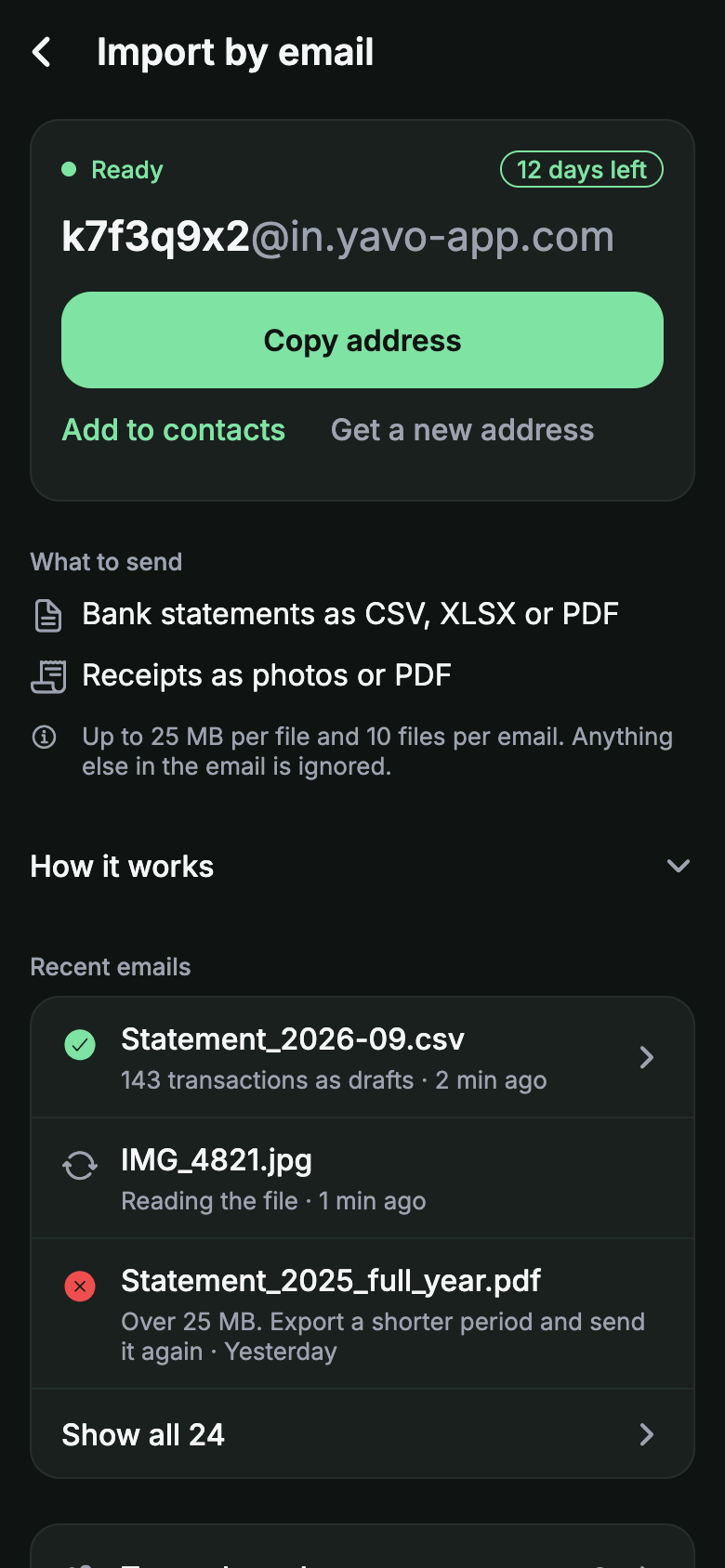
Exporting a statement usually ends in a spreadsheet. Send it to your personal Yavo import address instead, and the transactions arrive in your budget, categorized. No bank login, no copying rows.
Free to try. Cancel anytime.
How it works
Download a statement
From your bank app or online banking, as CSV, XLSX or PDF. Most banks offer at least one of these.
Send it to your Yavo address
Every account has its own import address. Forward the email from your bank or attach the file yourself.
Transactions arrive categorized
They land in your feed and count against your category limits. Review them in the app if anything needs a change.
Which statements work
- CSV and XLSX exports from online banking, in any column order.
- PDF statements with selectable text. Scanned PDFs are not supported yet.
- Credit card statements, so online purchases come in too.
Honest limits
- Statements arrive when you send them, not in real time. Many people send one a week or one a month.
- A statement sent twice would import twice. Yavo marks likely duplicates so you can merge them.
- Categories are suggested from the merchant and may need a correction the first time.
Questions
Nothing to type.Nothing to connect.
Apple Pay taps in stores, statements by email, receipt photos and voice, all counting against a budget you can actually keep.
Free to try. Cancel anytime.