Best Expense Tracker App for - in 2026
May 13, 2026
If you're a freelancer, tracking expenses is non-negotiable. Every coffee meeting, software subscription, and home office purchase could be a tax deduction - but only if you actually log it. The problem is, most expense apps were built for finance teams, not solo workers.
Here's what actually matters for - when picking an expense tracker in 2026:
- Speed - you need to log an expense in seconds, not minutes
- Receipt capture - photograph and forget, not manual data entry
- Tax-ready exports - your accountant shouldn't need to decipher your spreadsheet
- Multi-currency - especially if you work with international clients
The Freelancer Problem with Most Expense Apps
Apps like Expensify and QuickBooks were designed for businesses with accounting departments. They're powerful but overwhelming for a single person managing their own books. FreshBooks - currently one of the most recommended apps for - in 2026 - combines invoicing, time tracking, and expense management, but its pricing scales per billable client, which catches many solo workers off guard. Wave is free and solid for simple finances but lacks multi-currency support and advanced tax tools. YNAB is great for budgeting but built around bank syncing and detailed budget categories - a workflow that doesn't fit how - actually spend.
What - need is something closer to a smart notebook: fast to log, easy to review, and painless to export.
Why AI Changes the Game in 2026
The biggest time sink in expense tracking is categorization. You photograph a receipt, and then you still have to type in the merchant, amount, date, and category. AI receipt scanning eliminates most of that. Point your camera at a receipt, and the app reads the amount, date, and merchant name automatically.
This is no longer experimental. By 2026, AI is the default in competitive expense apps - zero-touch expense entry, where AI reads and validates receipts instantly, has become the baseline expectation for any serious freelance tool.
Voice logging is even faster. Say "Coffee 4.50" or "Uber to client meeting 22 dollars" and the expense is logged before you've even put your phone away.
What to Look for in a Freelance Expense App in 2026
Receipt scanning accuracy - The AI should handle faded thermal receipts, foreign-language receipts, and restaurant bills without constant corrections. Even the best scanners (Expensify's SmartScan, QuickBooks Self-Employed) struggle with low-quality thermal paper, so always verify the parsed amount before saving, especially on large expenses.
Voice input - Hands-free logging is essential when you're on the go between client meetings.
Categories that map to tax buckets - Office supplies, travel, meals, software - not just "Business" and "Personal." The best apps in 2026 mirror standard Schedule C categories so export goes straight to your accountant or tax software.
Export options - CSV or PDF export is the minimum. Your accountant will thank you. Keep digital records for at least three years from your filing date (six years in higher-risk situations).
Multi-currency support - If you invoice in USD but live in Europe, you need an app that handles both. This remains a gap in several otherwise solid apps: Wave, for example, still lacks it.
AI forecasting - The top tools in 2026 have moved beyond logging into forward-looking strategy: tax estimates, cash flow projections, and proactive saving recommendations based on your actual income pattern.
How the Alternatives Stack Up
QuickBooks Self-Employed is still the top choice for US - who prioritize tax preparation. GPS mileage tracking, Schedule C-ready reports, and direct TurboTax export are its strongest cards. Best if you have complex tax situations or drive frequently for client work.
FreshBooks wins for - who also invoice clients. Snapping receipts, auto-categorization, and project-level expense tagging are clean. The catch: pricing per billable client adds up fast.
Wave remains the best free option for solo - with simple finances. No monthly fee, clean interface, receipt scanning on mobile. Skip it if you need mileage tracking or multi-currency.
Expensify has the most impressive OCR - SmartScan is genuinely fast and accurate on most receipts. Better suited for travel-heavy - with lots of receipts to process. Starts at $5/user/month; free for personal use.
Hurdlr is the pick for - whose biggest deduction is mileage. The GPS auto-tracking pays for itself quickly for rideshare drivers, traveling consultants, or real estate -.
Why Most - Are Still Leaving Money on the Table
The stats are stark: - who don't systematically track expenses miss 35–50% of their eligible deductions - an average of $2,400 in missed savings per year. For higher earners, that number climbs well above $15,000. A $1,500 home office setup that goes unrecorded costs you $400–$500 in taxes you didn't have to pay.
The fix isn't discipline. It's removing friction. The right app should be fast enough that logging an expense in the moment feels like less work than dealing with it at tax time.
Yavo: Built for the Freelancer Workflow
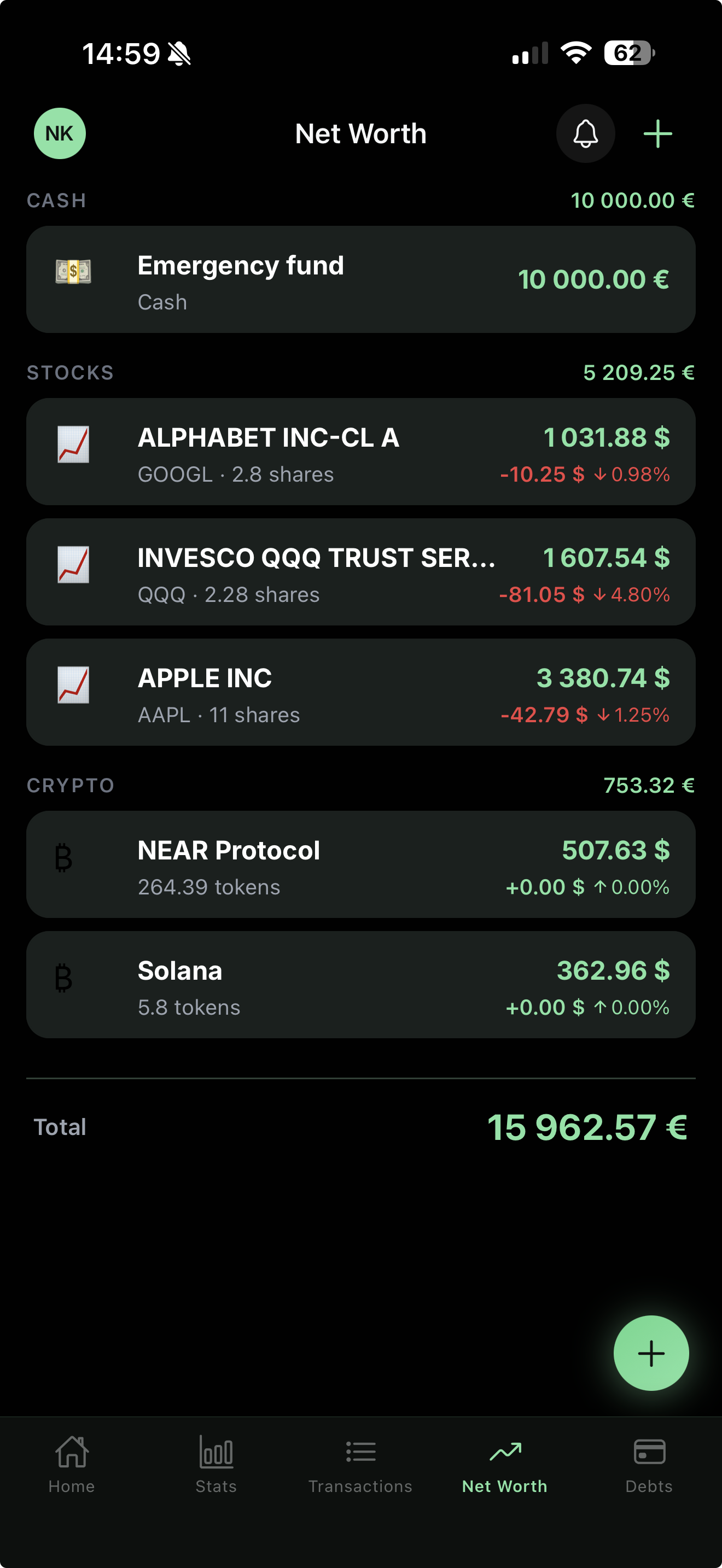
Yavo was designed around how - actually spend: quickly, across currencies, and with no time to sit down at a laptop. Log expenses by scanning a receipt, speaking a quick voice note, or tapping in an amount. The AI categorizes everything automatically, and you can review, edit, and export at any time.
Key features that matter for -:
- AI receipt scanner - point, shoot, done. Handles foreign-language receipts and multi-currency automatically
- Voice logging - say "Lunch 15 euros" or "Software subscription 29 dollars" and it's saved
- Multi-currency - works in any currency, converts to your base currency at the current rate
- Export - clean CSV and PDF exports for tax time, formatted so an accountant can use them immediately
- AI weekly reports - spending breakdown by category with trend analysis, so you always know where the money went
The Bottom Line
The best expense tracker for - in 2026 is the one you'll actually use. The market has matured: AI receipt scanning is table stakes, not a differentiator. What separates the tools now is how fast you can log something in the real world, and how painless tax time becomes.
If you're spending more than 30 seconds logging an expense, something is wrong.
Download Yavo free and log your first expense in under 10 seconds.
Track your expenses with Yavo - free to download